The Basic Account is Statista’s entry-level product. It provides free access to selected historical statistics, limited industry and topic coverage, and basic download options (PNG and PDF only). It also includes limited access to our Research AI tool, supporting over 100 languages. Learn more about our account types.
Create your account in 3 simple steps
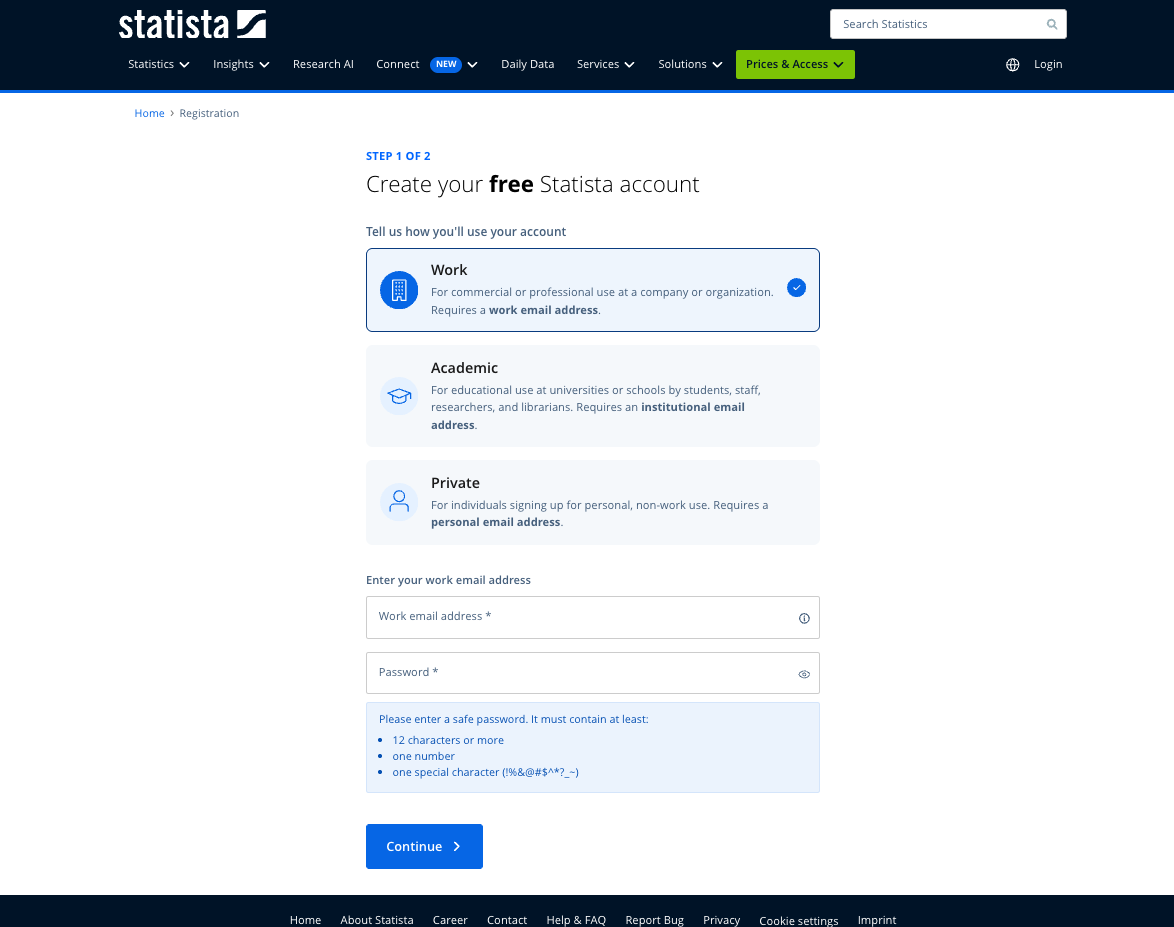
Step 1: Enter your email and password
Tell us how you plan to use your account by providing your email address:
Work use: Use your company or organization email address
Academic use: Students, researchers, faculty, and librarians must use an institutional email address. Learn more about Statista for Academia.
Private use: Use your personal email address
Private email domains (e.g. gmail.com, yahoo.com) cannot be used for work or academic uses.
Next, create a secure password that meets the required criteria and click “Continue.”
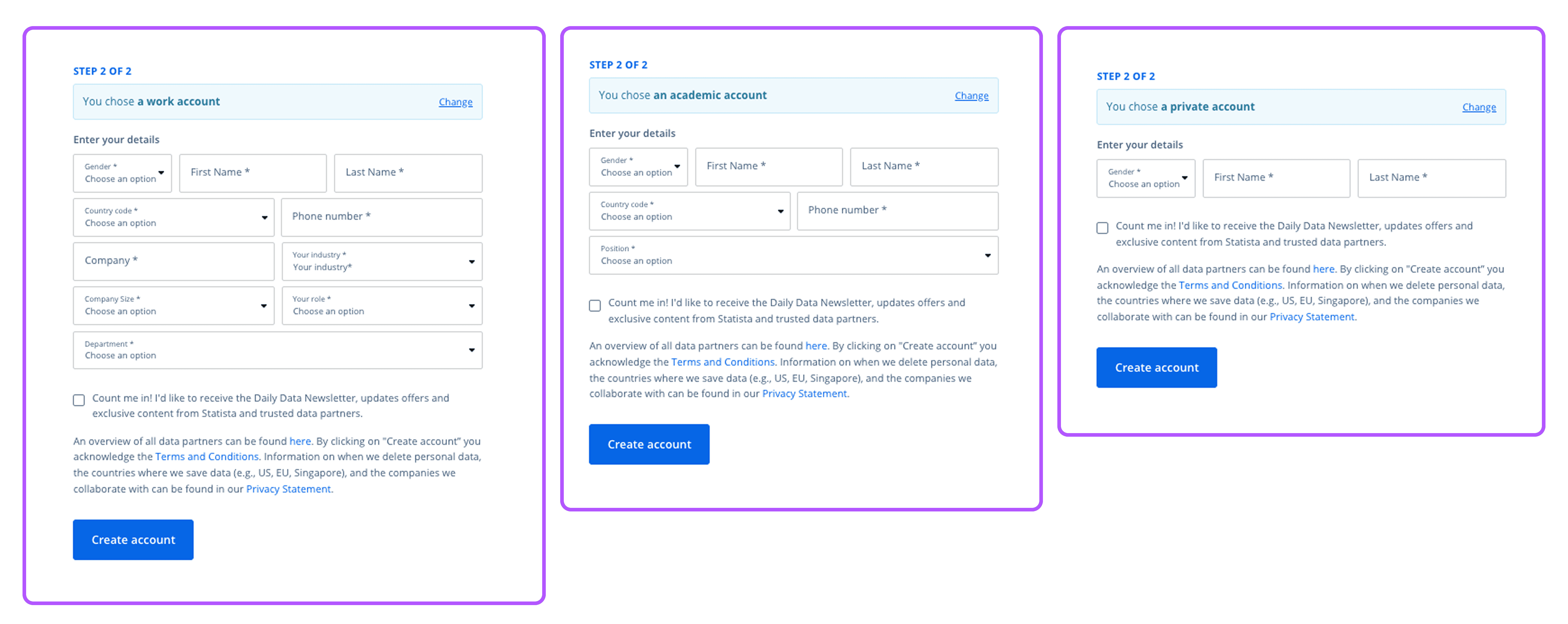
Step 2: Provide your details
In the next step, you’ll be asked to enter some additional details related to your intended account use:
Ensure all the required information is provided before continuing.
By selecting the newsletter checkbox, you will receive updates, offers, and exclusive content from Statista and our trusted data partners.
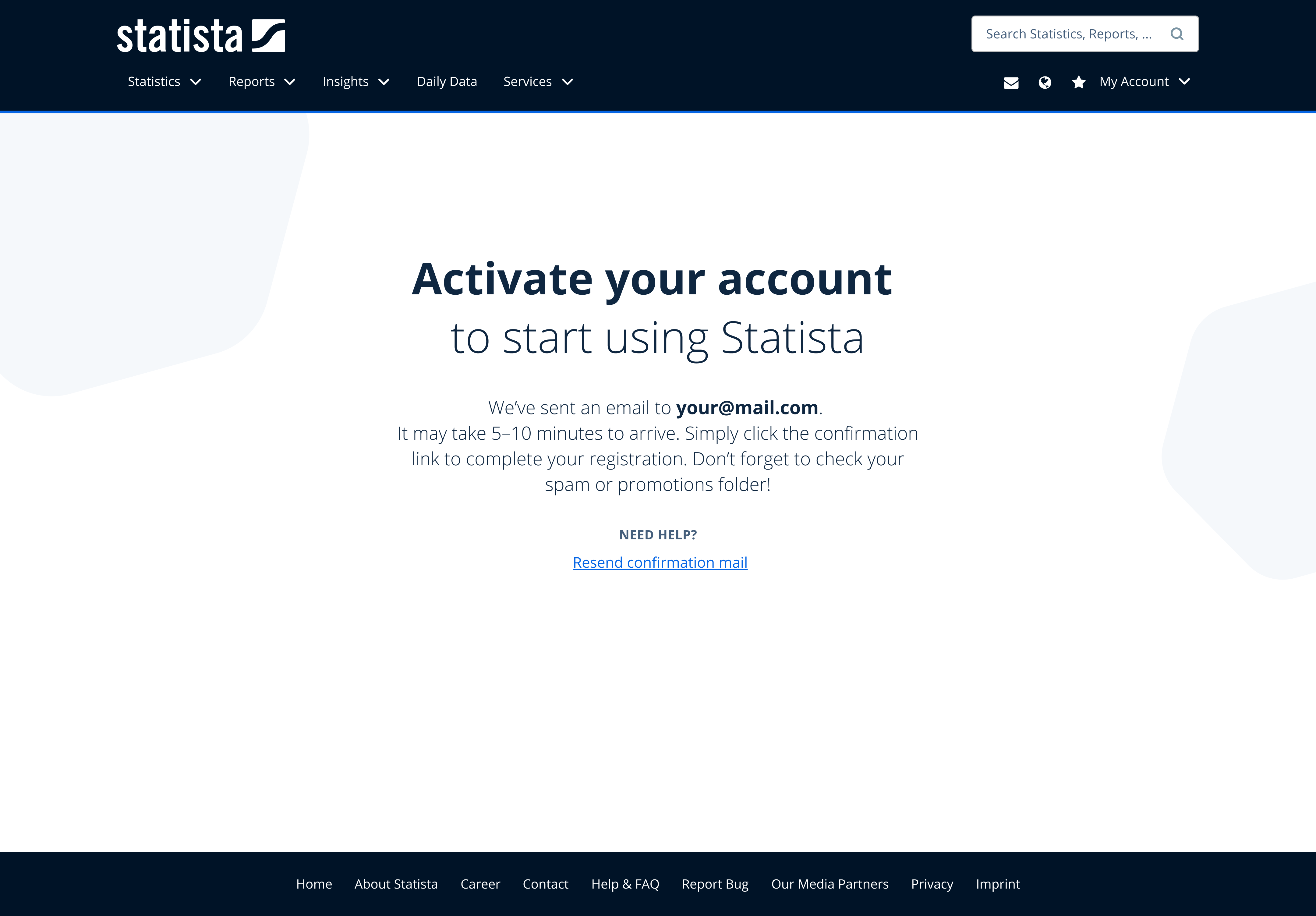
Step 3: Activate your account
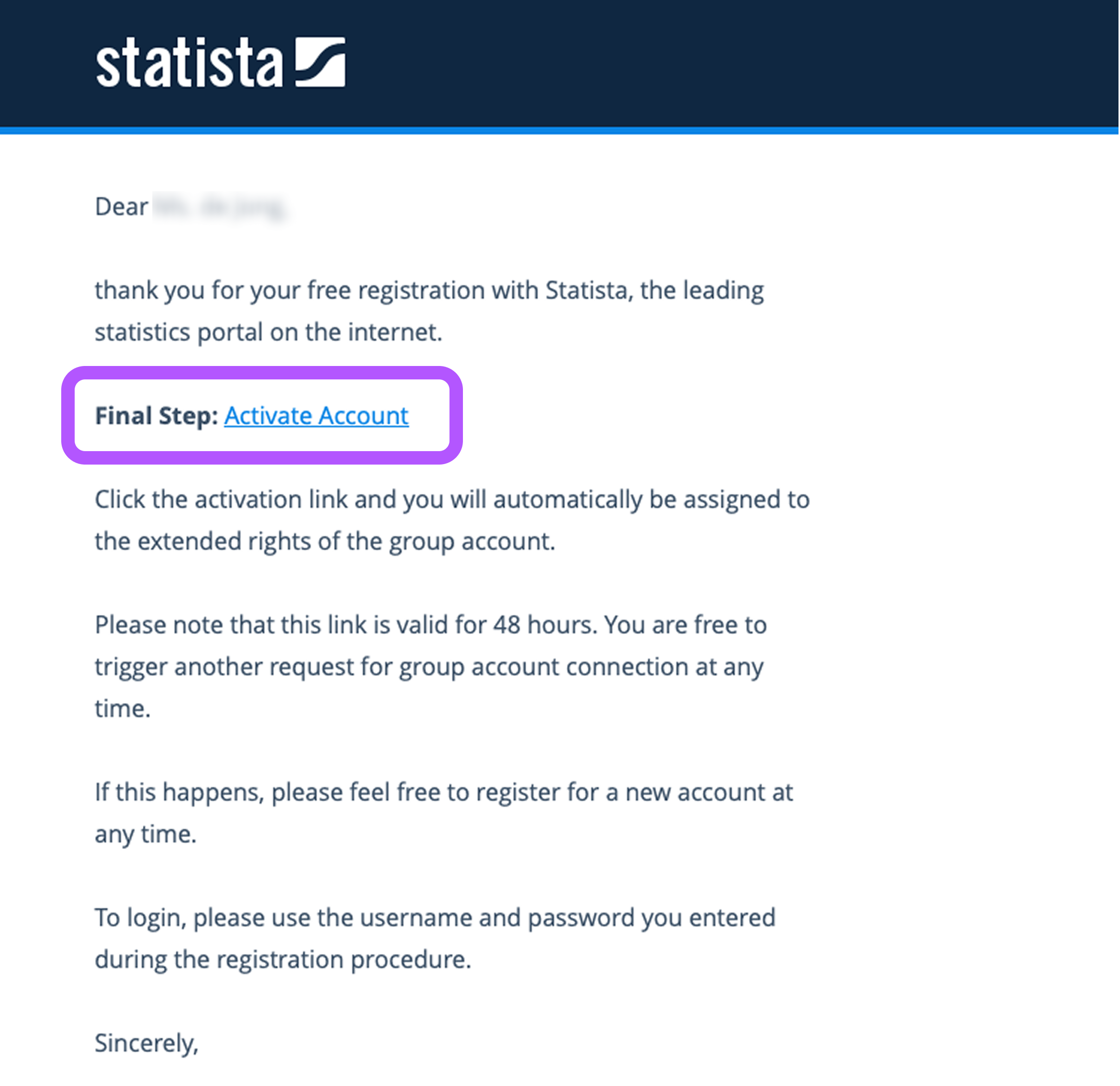
After clicking “Create account” button, you will receive an activation email at the address you provided. This may take 5–10 minutes.
Click the confirmation link in the email to complete your registration.
Be sure to check your spam or promotions folder.
Didn’t receive the email?
Click “Resend confirmation link” and enter your email address here.